Filed under: animation — By: Nancy — January 31st, 2009
Making the Model:
–Â Â Â Â Â Special Joints
–Â Â Â Â Â Mesh
–Â Â Â Â Â Separate Pieces, like eyes and accessories

Making the Rig
–Â Â Â Â Â Skeleton
–Â Â Â Â Â Joints
–Â Â Â Â Â Special nodes for balance
-Â Â Facial Rig, complex for range of movementÂ
 Â
Â
Painting Weights (Skinning):
–     Influence of mesh per joint with a “brushâ€

Animation (Bringing it to Life):

Special Effects (Hair and Cloth Simulation):
Â


Categories: animation |
Comments Off on Pipeline to Animation
Filed under: Uncategorized — By: Kahentawaks — January 31st, 2009

this is from MY BLOG i dont have my newer stuff on here but im working on it..
hi yall. im just tryin this post thingy out. im gonna be puttin sum of my cooler stuff up ( pics, duh) so be prepared to give sum constructive critisism. just a heads up to all you critics, lol, but no worries im a big girl and i can take it. lol, so if u think it sucks by all means tell me, and um i’ll consider your words of wisdom when creating my next works.Â
-till whenever your trusty optimist in training, kahentawaks.
haha and yes i spelt things wrong on purpose, havent u ever been on msn?? lol jk
Categories: Uncategorized |
Comments Off on HA HA I Posted my stufffsssss….
Filed under: animation — By: Nancy — January 30th, 2009
 Straight Ahead:called so because animators using this method will work almost frame per frame one step at a time, from beginning to end. The advtanges to this is a smooth animation that includes all minute in-between actions. This is especially useful for energetic, spontaneous looking animations that include many fast movements. The disadvantage is that this method is not very efficient (takes me time) AND can be too wild and uncontrolled, therefore messy.Â
Example:Â http://ca.youtube.com/watch?v=5T4wvZiyWoA

Â
Â
Â
Â
Â
Pose to Pose:This method it the more plan, more fluid and more efficient way of animating. The animator choose key pose at the beginning and end of an action and THEN fills in frames in between. Poses and timing are important and especially relevant to animating in 3D when the “in between” frames can be automatically tweened between poses.
Example: http://ca.youtube.com/watch?v=S9hQsfEjjDc&NR=1
3D examples: (Poses) http://ca.youtube.com/watch?v=P3wca-7H9MI&feature=related (Tweened Poses) http://ca.youtube.com/watch?v=62V1x2Nl2os
Â
THE BOUNCIN’ BALL: (Weight example) http://ca.youtube.com/watch?v=1axyYnolqS8
Â
Â
Categories: animation |
Comments Off on Types of Animation
Filed under: animation,Tools — By: Mohannad — January 30th, 2009
 1. Squash and stretch
 2. Anticipation
 3. Staging
 4. Straight Ahead Action and Pose to Pose
 5. Follow Through and Overlapping Action
 6. Slow In and Slow Out
 7. Arcs
 8. Secondary Action
 9. Timing
 10. Exaggeration
 11. Solid Drawing
 12. Appeal
More info: http://www.animationtoolworks.com/library/article9.html
Categories: animation, Tools |
Comments Off on 12 Principles of animation
Filed under: Schedule,Uncategorized — By: Skawennati — January 30th, 2009
Here is the schedule for the 3rd Skins workshop at KSS.
Categories: Schedule, Uncategorized |
Comments Off on Skins KSS Workshop #3 Schedule
Filed under: animation,qavimator — By: Cassandra — January 29th, 2009
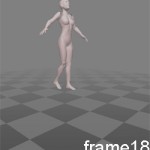
Here is the sequence that you should follow.
Nevertheless, this is a jump where the characters falls back pretty slowly. You can play with the keys on the timeline to accelerate the drop if you want.
Categories: animation, qavimator |
Comments Off on Jump animation
Filed under: Second Life,Unreal Engine — By: Nancy — January 19th, 2009
(more…)
Categories: Second Life, Unreal Engine |
Comments Off on Second Life vs. Unreal (for KSS student projects…)
Filed under: Unreal Engine — By: Nancy — January 19th, 2009

- 1st, 2nd and 3rd generation Unreal rendering capabilities
What is it?
The Unreal Engine is a popular game engine developed by Epic Games. It first appeared in the 1998 first-person shooter game Unreal, it has been the basis of many games since, including: …
(more…)
Categories: Unreal Engine |
Comments Off on A Brief Intro to Unreal Engine
Filed under: Photoshop,Second Life,SketchBook — Tags: designing, fashion, ribbon shirt, Second Life — By: Skawennati — December 25th, 2008
Â

Abbi Zipper sports her new ribbon shirt.
Hey Everybuddy! I just made my first Ribbon Shirt in Second Life. Â Now, please remember, it’s just a first try, but it’s not too shabby, and was soooo easy to do! Â I swiped a picture from the InterWebs, pasted it into the Photoshop template, and did pretty much what they tell you to do in the tutorials, and voila!
Â
In my next attempt, I want to try making the ribbons “flexi” so they look like they are hanging from the shirt.
Categories: Photoshop, Second Life, SketchBook |
Tags: designing, fashion, ribbon shirt, Second Life | Comments Off on Second Life Ribbon Shirt – Test #1
Filed under: Photoshop,Schedule,Second Life — By: Bea — December 12th, 2008
Last week you all learned how to make t-shirts in Second Life using photoshop and uv maps. Here is a link to a tutorial to refresh your memory in case anybody is interested in pursuing this further. Visit nicholasescher.com
Also, here are some links to sites dedicated to clothing and fashion is SL. Take a look to get ideas about what kind of clothing is being made out there. There are a lot of creative ways to express your identity in SL.
Cyberpunk & Futuristic Clothing
Sci-Fi & Fantasy Inspired Designs
Men’s Clothing
Categories: Photoshop, Schedule, Second Life |
Comments Off on How to make clothing in Second Life