Filed under: 3D Modelling,Blender,Game Development,Tools — By: Cassandra — April 20th, 2009
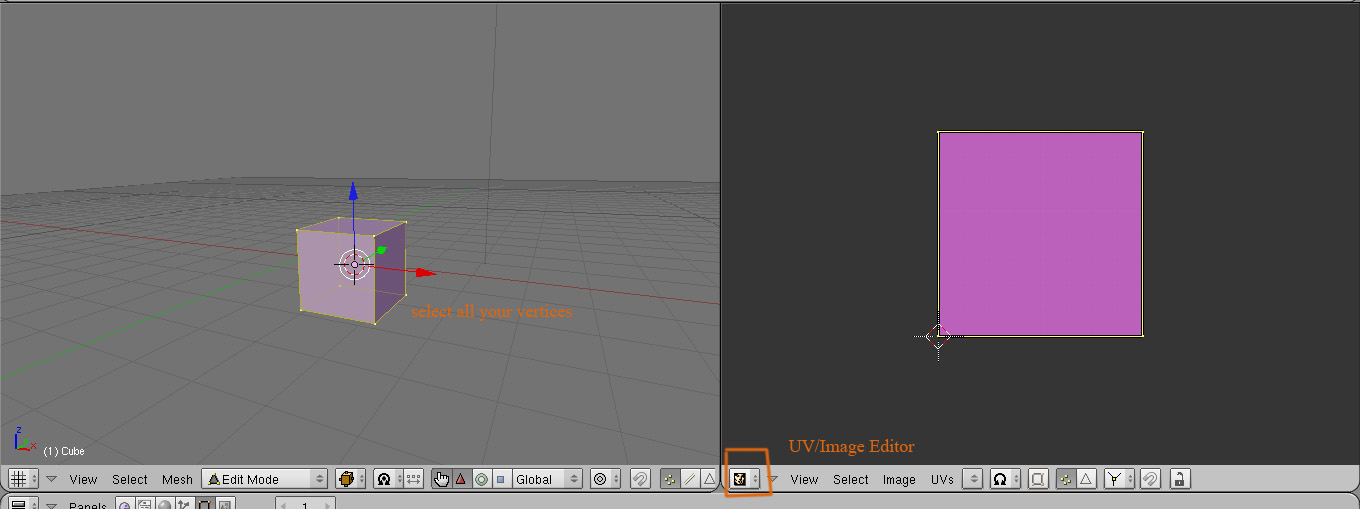
Here is a tutorial on how to get the texture on your model. Also on how to do UV mapping in Blender if you are interested, just keep in mind that we [the abtec team] are doing the UV mapping for you.
 (more…)
Categories: 3D Modelling, Blender, Game Development, Tools |
Comments Off on Basic UV mapping in Blender
Filed under: 3D Modelling,Blender,Game Development — By: Cassandra — April 20th, 2009
Here are the UV mapped image of your meshes.
Arrow_01.tga
Bow_01.tga
Coal_01.tga
Pottery_01.tga
All there is to do is to texture them. Once that is done, we’ll go ahead with the animations!
Cassandra
uvtemplates
Categories: 3D Modelling, Blender, Game Development |
Comments Off on UV templates
Filed under: Uncategorized — By: Mohannad — April 9th, 2009
Here are the UV mapped models, please extract the Meshes.zip fize inside the Meshes folder on the server. The UV mapped models are names Name_01.1.blend.
http://skins.abtec.org/skins1.0/images2017/Meshes.zip
Here are the UV maped OBJs in case the blend files mess up
http://skins.abtec.org/skins1.0/images2017/UVedOBJ.zip
Categories: Uncategorized |
Comments Off on UV Mappedd models
Filed under: 3D Modelling,Blender,Unreal Engine — Tags: Blender — By: Mohannad — April 5th, 2009
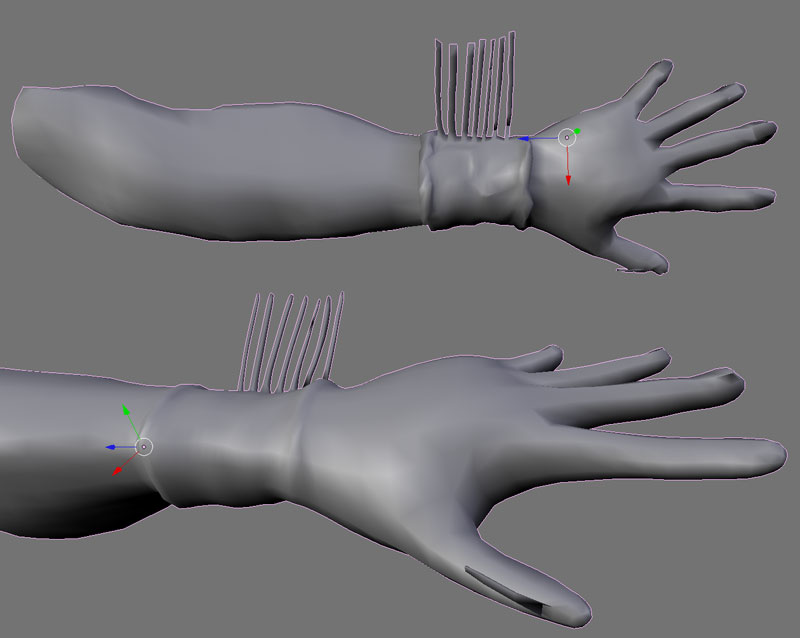
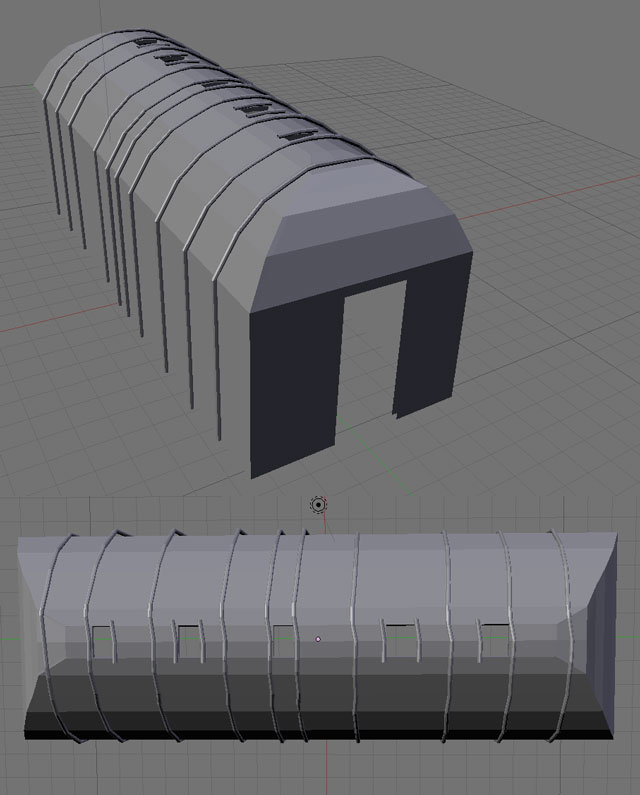
Its Happening! Things are being built. It has been a very productive workshop thanks to everybody there. Here are the assets that were made over the 2 days, just keep in mind that some of them are still work in progress:
The hand by Kahentawaks:
Long House by Tehoniehtath:
(more…)
Categories: 3D Modelling, Blender, Unreal Engine |
Tags: Blender | Comments Off on Wokshop 5
Filed under: 3D Modelling,Blender — By: Walter — April 2nd, 2009
Categories: 3D Modelling, Blender |
Comments Off on User Friendly Blender Shortcuts!
Filed under: 3D Modelling,Blender,Tools — By: Cassandra — April 1st, 2009
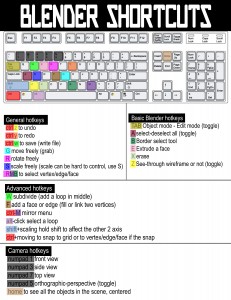
Here are the main shortcuts used in Blender.
You can also refer to the tutorial if you do not remember the basic steps.
The entire list of hotkeys can be found on this blog as well.
Camera hotkeys
numpad 1 front view
numpad 3 side view
numpad 7 top view
numpad 5 orthographic-perspective (toggle)
home to see all the objects in the scene, centered
General hotkeys
ctrl z to undo
ctrl y to redo
ctrl w to save (write file)
G move freely (grab)
R rotate freely
S scale freely (scale can be hard to control, use S)
RMB to select vertex/edge/face
Basic Blender hotkeys
TAB Object mode – Edit mode (toggle)
A select-deselect all (toggle)
B Border select tool
E Extrude a face
X erase
Z See-through wireframe or not (toggle)
Advanced hotkeys
W subdivide (add a loop in middle)
F add a face or edge (fill or link two vertices)
ctrl-M mirror menu
alt-click select a loop
shift+scaling hold shift to affect the other 2 axis
ctrl+moving to snap to grid or to vertex/edge/face if the snap
Categories: 3D Modelling, Blender, Tools |
Comments Off on Blender review – shortcut short list
Filed under: 3D Modelling — By: Angela — March 20th, 2009
After Workshop 2 Steve Sanderson and Mohannad collaborated and created a 3D monster from one of Steve’s sketches using Zbrush.
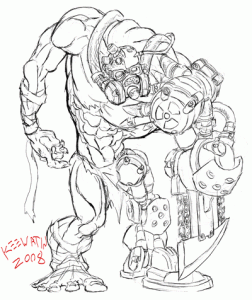
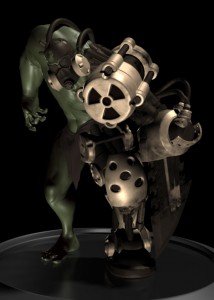
See the process they took to get from a sketch to the finished 3D model. Click here
Categories: 3D Modelling |
Comments Off on Steve and Mohannad’s Monstrous Creation
Filed under: 3D Modelling,animation,Game Development,Schedule,Tools,Unreal Mods — By: Skawennati — March 16th, 2009
Play: Tutorial
This is where the player learns how to use his weapons.
VOICE OVER: How to use the bow & arrow. Example: “Press A to use the bow & arrow.â€
As you walk along, you come to a body of water. There is a canoe on the shore. You get into the canoe [and start floating]. The evil villager from the Flying Head legend rises out of the water. Two Baby Flying Heads are attached to him [with leather ropes. Or maybe hair.] They are attacking you [how?]. You shoot them with your bow.
(more…)
Categories: 3D Modelling, animation, Game Development, Schedule, Tools, Unreal Mods |
Comments Off on Rise of Legends: Skawennati’s Notes
Filed under: Uncategorized — By: Kahentawaks — March 16th, 2009
howdy yall, sorry i couldn’t make it today i hope I’m not missing anything important!! but there was just no way i could make it, i only remembered the day before that i had the workshop, but by then it was too late…but fear not my fellow power-nerds, whilst i am here sitting on my butt I’m working in blender on the characters, and on my conceptual drawings. cya next day 5 with the goods.
Categories: Uncategorized |
Comments Off on SORRY!!!
Filed under: 3D Modelling — By: Mohannad — March 16th, 2009
Here are the files you need for the tutorial
Categories: 3D Modelling |
Comments Off on Static mesh files [for the importing tutorial]